
Create a session
Add a session from its event page.
A session belongs to an event. It has its own name, dates, location, and timezone. Once opened, it provides the modules used to prepare and operate that session.
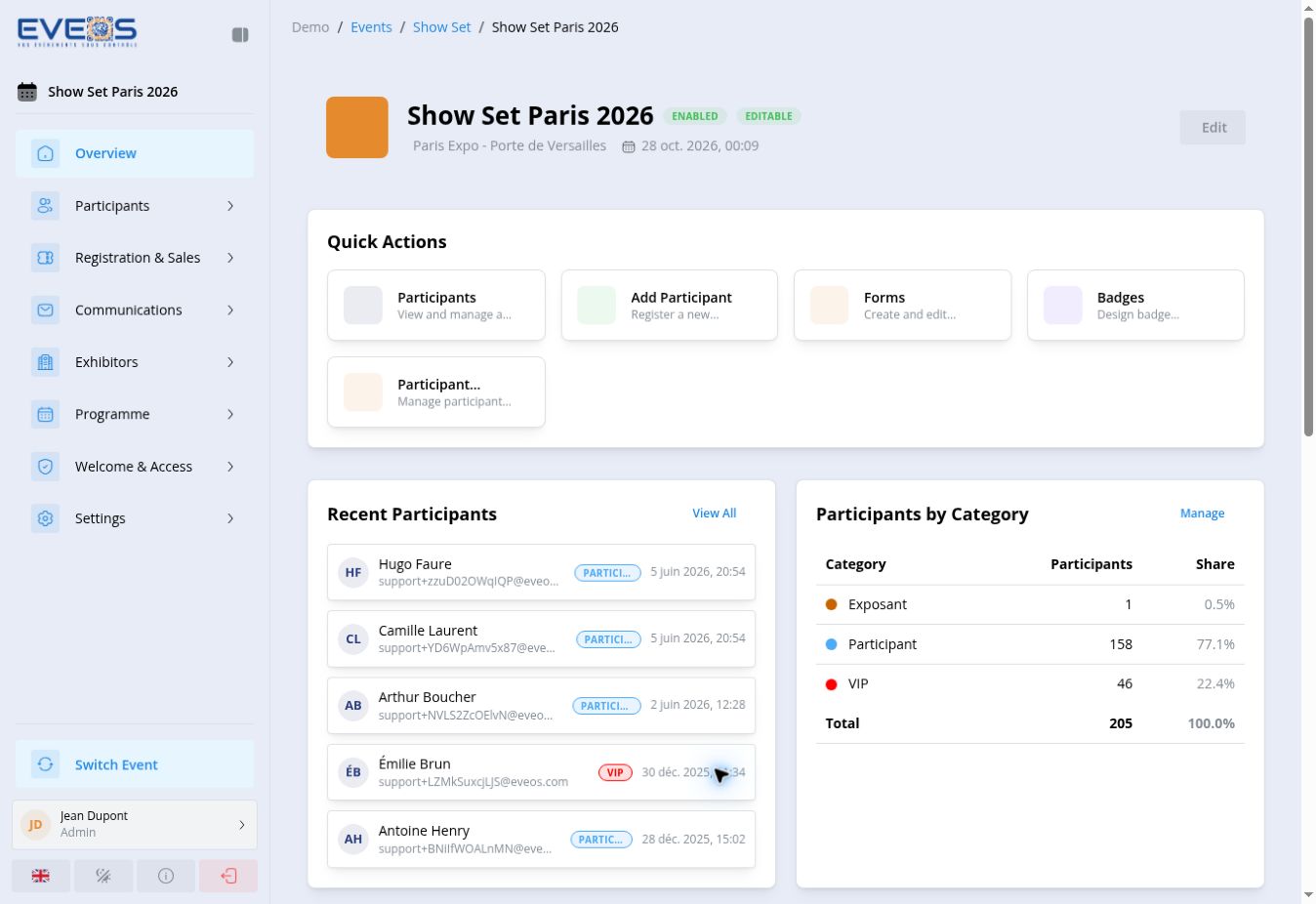
Example: “Show Set Paris 2026” is a session in the “Show Set” event, within the “Demo” organizer.
The session sidebar displays:
Create a session
Add a session from its event page.
Open a session
Access its overview and modules.
Edit a session
Open the session form from the event or session overview.
Duplicate a session
Use “Duplicate” from the event page.
Navigate a session
Use the overview and find each module in the sidebar.
Manage participants
View the list, add a participant, or prepare an import.
Registration & Sales
Configure flows, forms, products, and registration controls.