

Manage promo codes
“Promo Codes” displays each discount’s name, code, value, status (“Active”, “Inactive”, or “Expired”), and usage. Search accepts the name or code, and the list can be exported.
Create a promo code
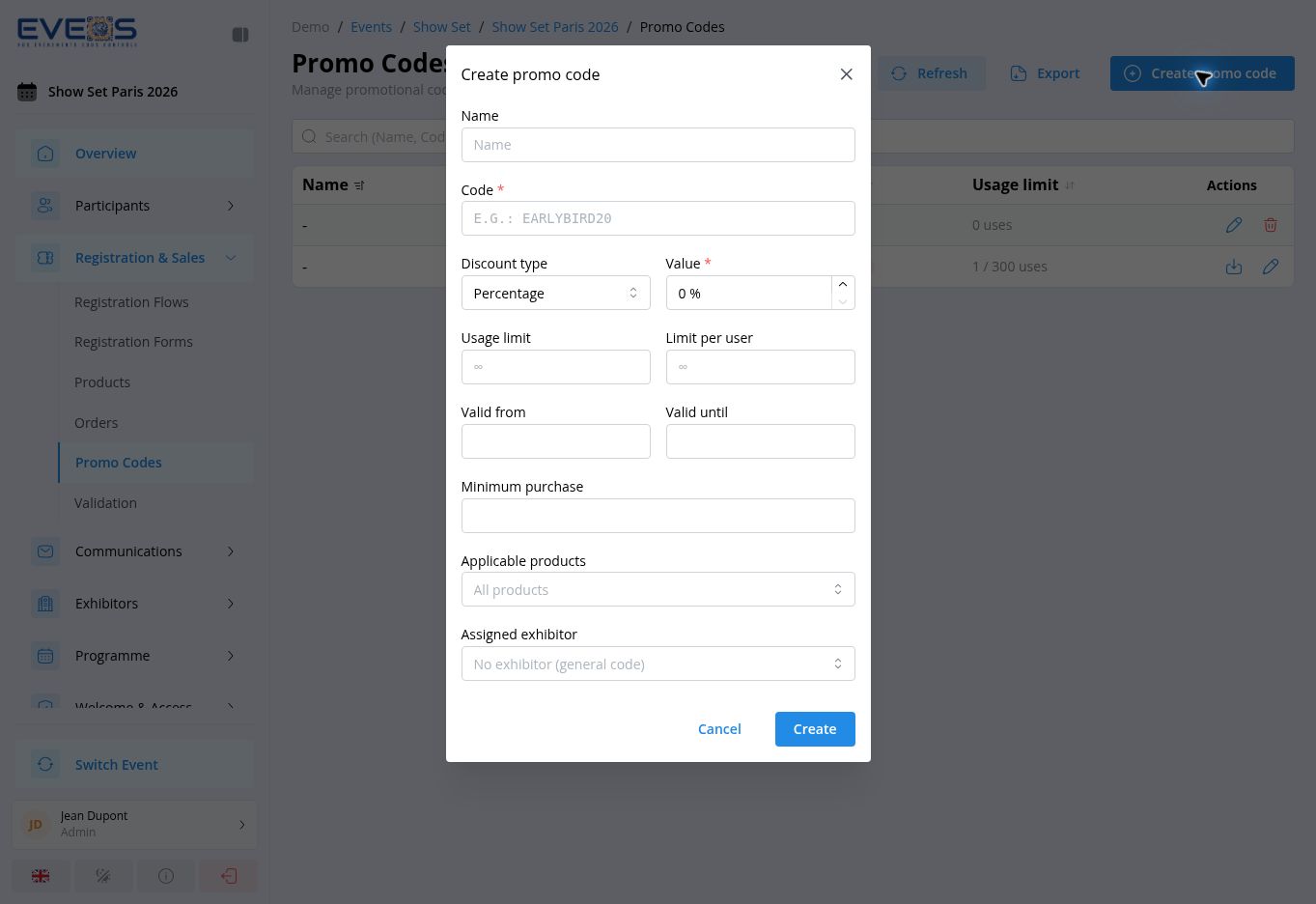
Section titled “Create a promo code”- Under “Registration & Sales”, open “Promo Codes”.
- Select “Create promo code”.
- Enter the “Code” and, when needed, the “Name”.
- Choose the “Discount type” — “Percentage” or “Fixed amount” — then enter the “Value”.
- Configure the global usage limit, the per-user limit, and the validity period when they apply.
- You can also set a minimum purchase, limit the code to selected products, or assign it to an exhibitor.
- Select “Create”.
A code that has already been used can no longer be deleted. Once a code has been used, its menu lets you download the list of participants who used it.