
Choose or create an organizer
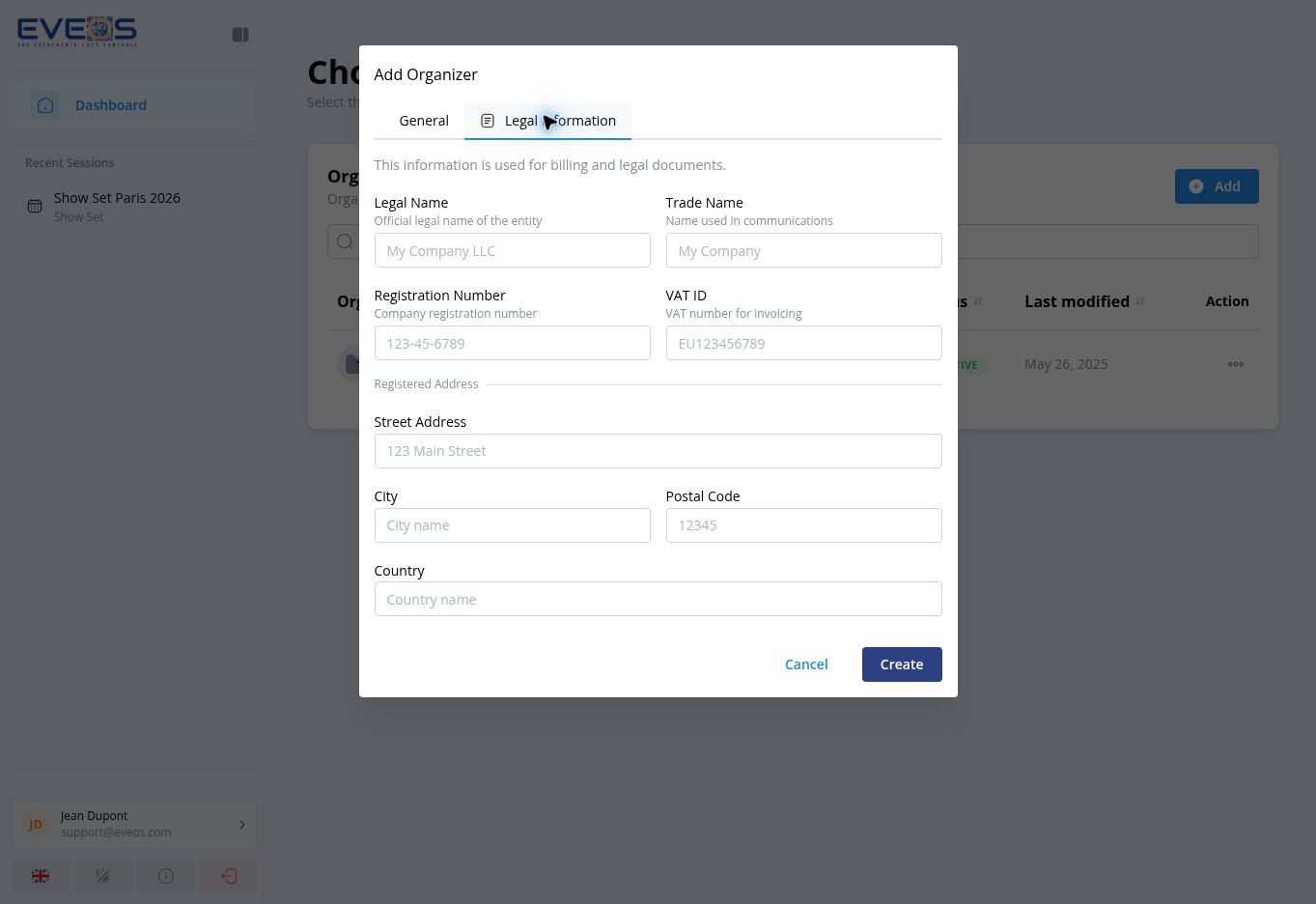
After you sign in, Eveos displays “Choose an Organizer”. This page lists the organizations available to your account.
Choose an existing organizer
Section titled “Choose an existing organizer”- Use “Search by name…” to filter the list.
- Select the organizer’s name to open it.
The list also displays each organizer’s plan, status, and last modification date.
Create an organizer
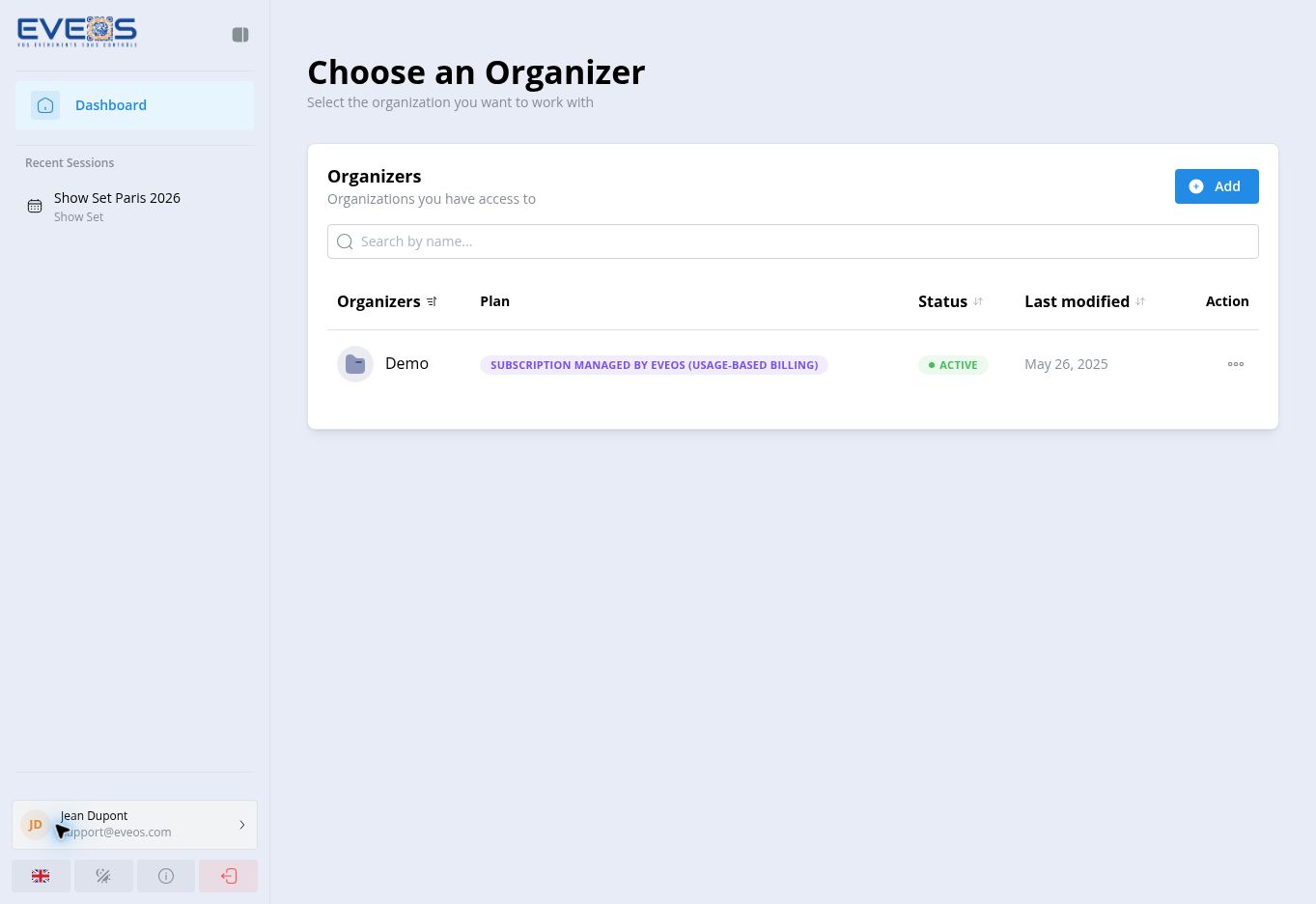
Section titled “Create an organizer”- Select “Add”.
- Complete “General” and “Legal Information”.
- Select “Create”.
“Organization Name” is the only required field. You can also enter the “Default Language”, “Email” (validated when filled), “Phone”, “Website”, and “Contact Address” (street address, city, postal code, country).
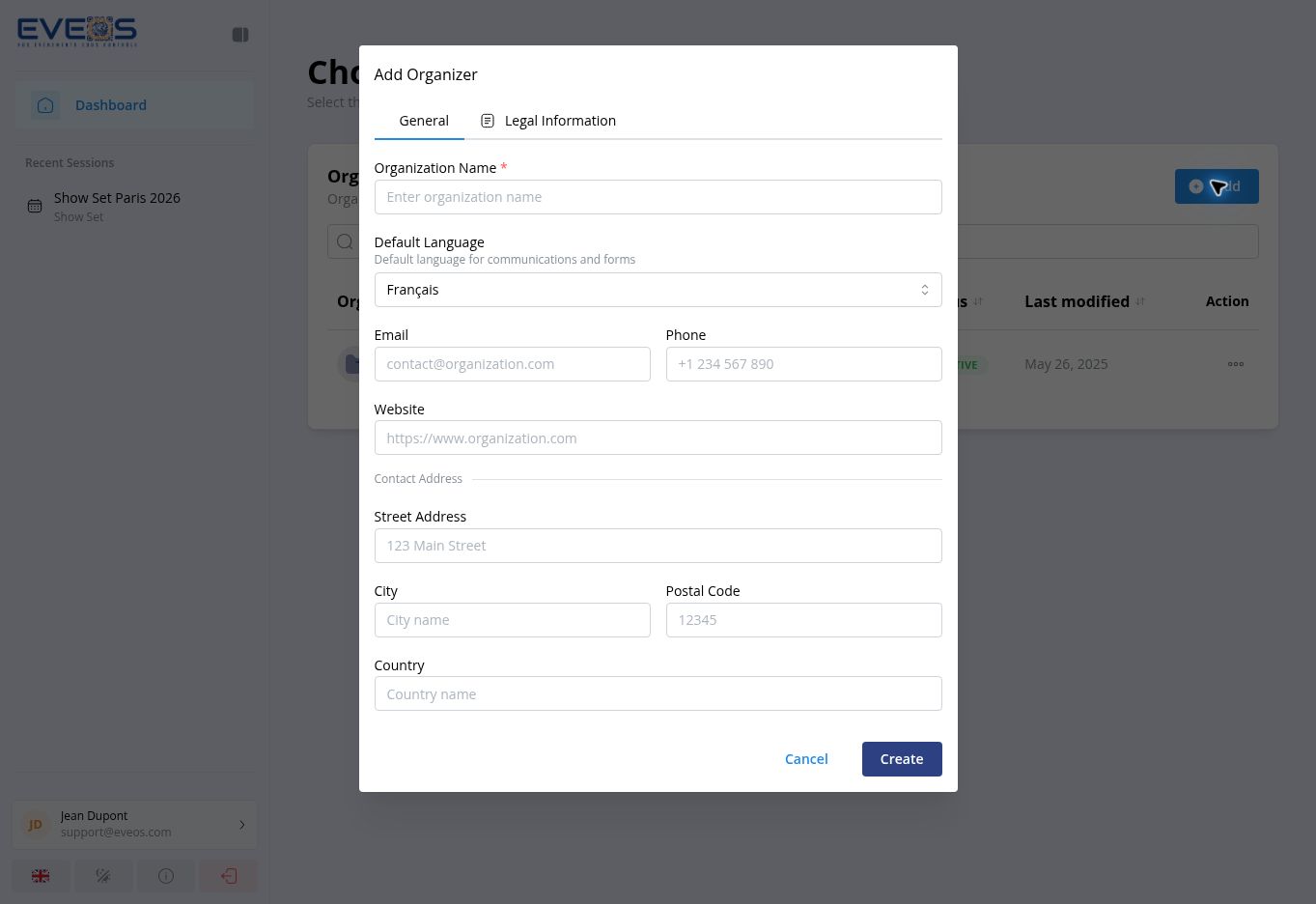
This tab contains the “Legal Name”, “Trade Name”, “Registration Number”, “VAT ID”, and “Registered Address” (street address, city, postal code, country).