

Create and track a campaign
Open “Communications” and select “Campaigns” to view campaigns and filter them by “All”, “Draft”, “Scheduled”, “Sending”, or “Completed”.
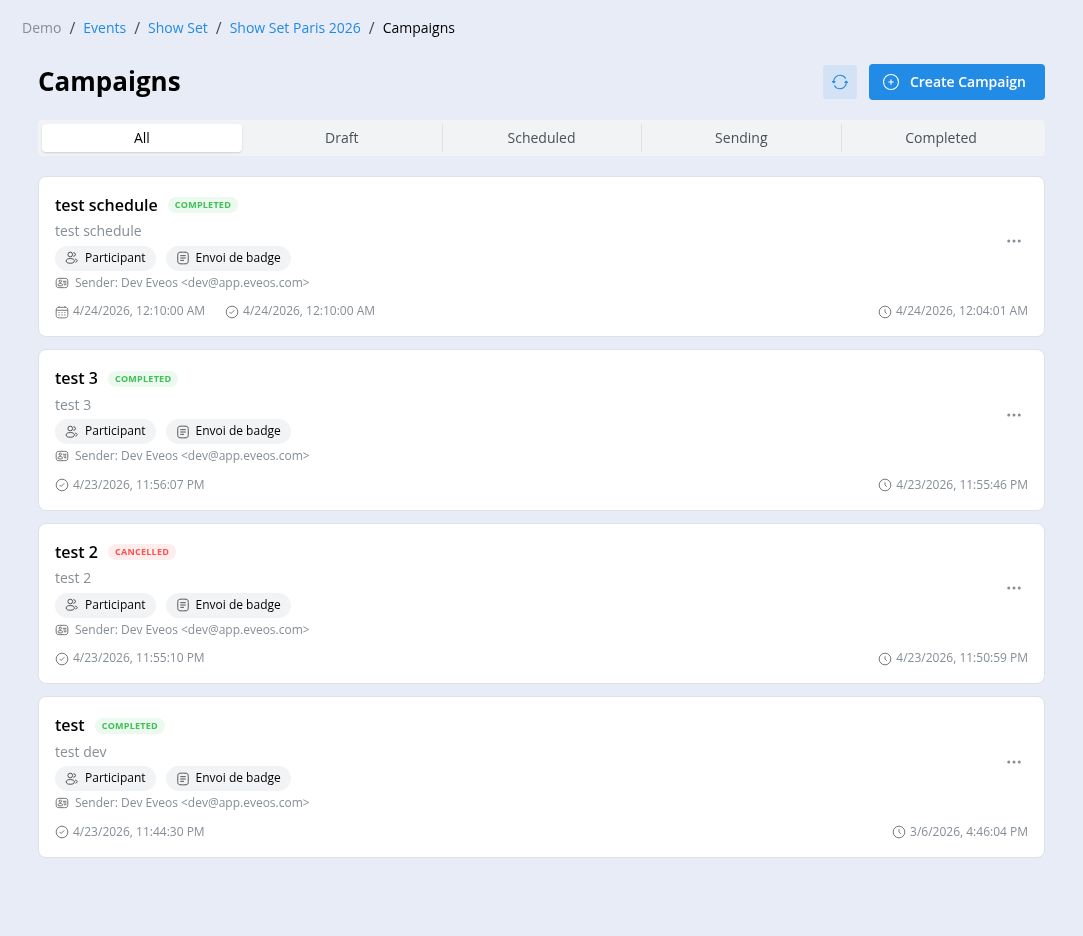
Create a campaign
Section titled “Create a campaign”Prepare an active email template and a sender before starting.
- Select “Create Campaign”.
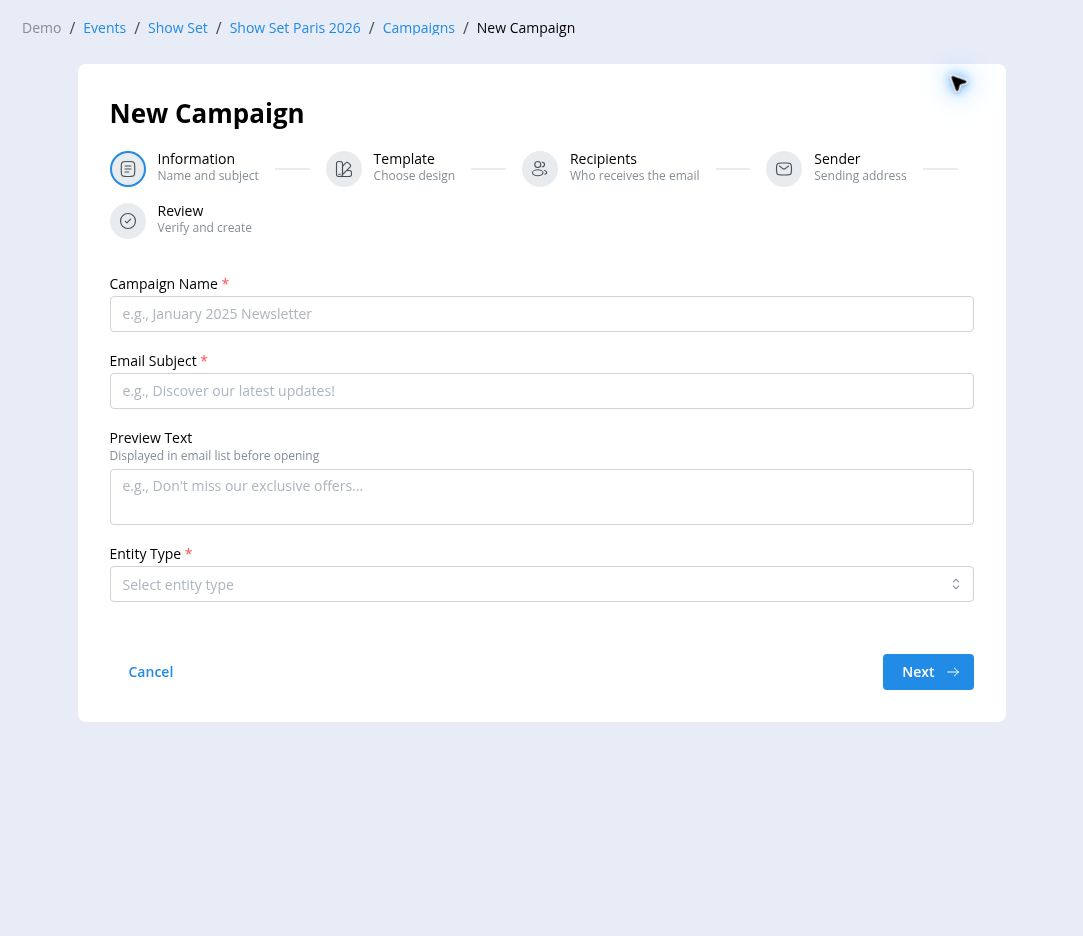
- Under “Information”, enter the “Campaign Name” and “Email Subject”. Add “Preview Text” when needed.
- Select the “Entity Type”: “Participant” or “Exhibitor”.
- Under “Template”, select the email template to use.
- Under “Recipients”, choose the target. Participant campaigns can use “All Participants”, “By Category”, or “Custom Query”.
- Check the number of matching recipients, then select the “Sender”. Only verified senders are offered; if none is configured, add one at the organizer level (see Configure payments and communications) or contact the organizer owner.
- Review the campaign and select “Create Campaign”.
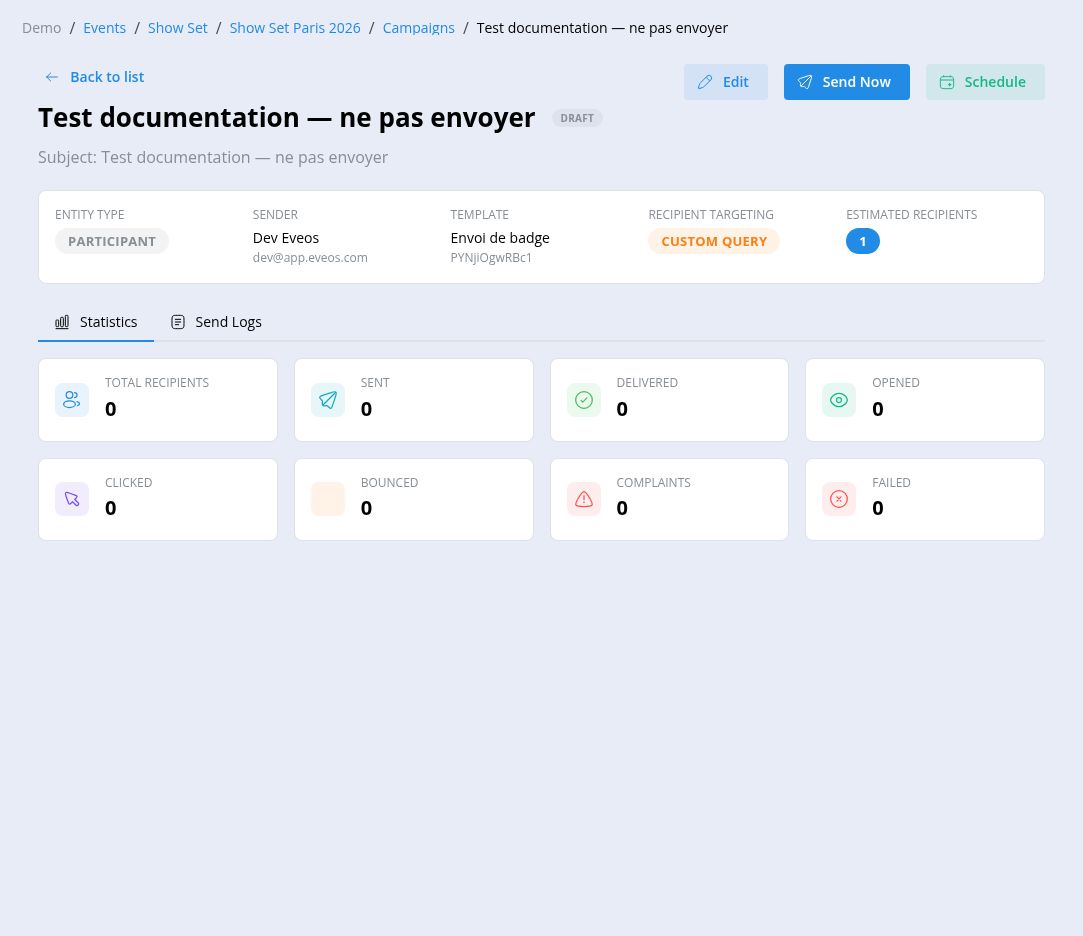
The campaign opens as a “Draft”. Its page shows the entity type, sender, template, recipient targeting, and estimated recipient count.
Send or schedule the campaign
Section titled “Send or schedule the campaign”Before sending, check the subject and “Estimated Recipients”.
- Select “Send Now”, then confirm with “Send” to start the campaign.
- Select “Schedule”, choose the sending date and time, then confirm with “Schedule”. The scheduling window displays the applicable time zone. A scheduled campaign can later be “Unscheduled” or “Cancelled” from its page.
When the subscription’s marketing email quota is reached, a warning is shown and the “Send Now” and “Schedule” actions are disabled.
Follow the lifecycle
Section titled “Follow the lifecycle”A campaign moves through the statuses “Draft”, “Scheduled”, “Queued”, “Sending”, then “Completed” — or “Paused”, “Cancelled”, and “Failed” depending on the case. While sending, you can “Pause”, “Resume”, or “Cancel” delivery. “Duplicate” is available in every status; a draft can also be “Deleted”.
Track delivery
Section titled “Track delivery”The “Statistics” tab displays total recipients, sent, delivered, opened, clicked, bounced, complaints, and failed messages.
The “Send Logs” tab provides an email search, a status filter, an “Export” action, and the delivery details recorded for each recipient.