

View the subscription
Open “Settings” > “Subscription”. The page presents the information available for the active organizer.
Information displayed
Section titled “Information displayed”- the subscription name and status;
- the start date;
- “Included features”;
- “Plan quotas”, with current usage and the limit;
- ways to contact the sales team.
The displayed quotas cover “Active events per year”, “Participants”, “Back office users”, and “Marketing emails”. Values depend on the organizer being viewed.
The features included in a plan cover, among others, “Emailing & campaigns”, “Exhibitor space”, “Web widget”, “Custom modules”, “Event CRM”, “Paid ticketing”, “Registration page”, “Registration validation”, and “Badges”. Modules that are not included appear locked in the navigation.
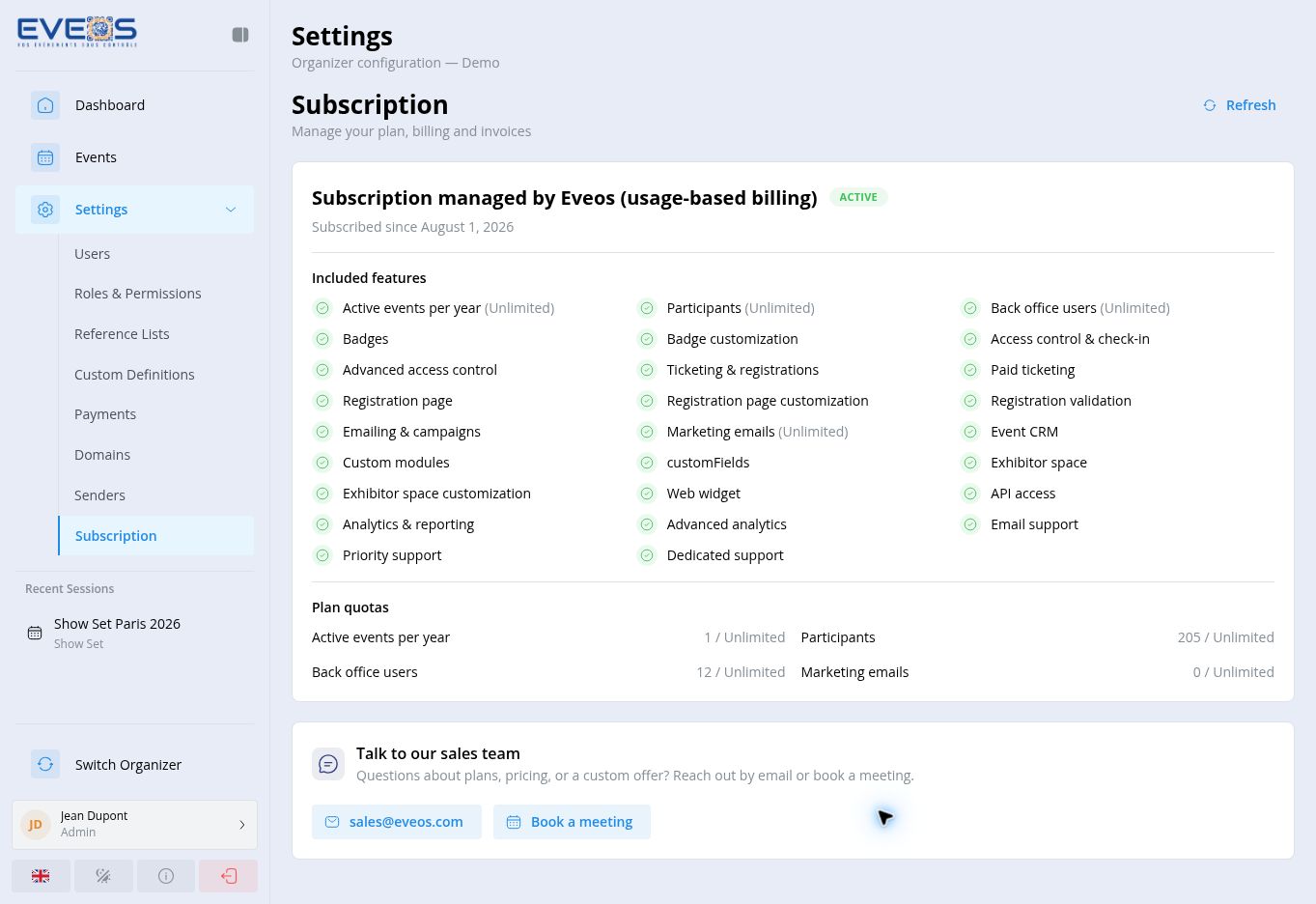
Use “Refresh” to reload the information. For questions about a plan or billing, the page provides sales@eveos.com and the “Schedule a meeting” link.