Manage products and orders
“Products” contains the tickets, options, and extras available for purchase.
- Under “Registration & Sales”, open “Products”.
- Select “Create product”.
- Enter the “Name” and, when needed, the “Description” and “SKU”.
- Choose the “Type” — “Ticket”, “Option”, “Conference”, “Accommodation”, or “Other” —, add an image, then enter the “Price” and “Tax rate”.
- Keep “Unlimited” enabled or configure an available quantity.
- Select “Create”.
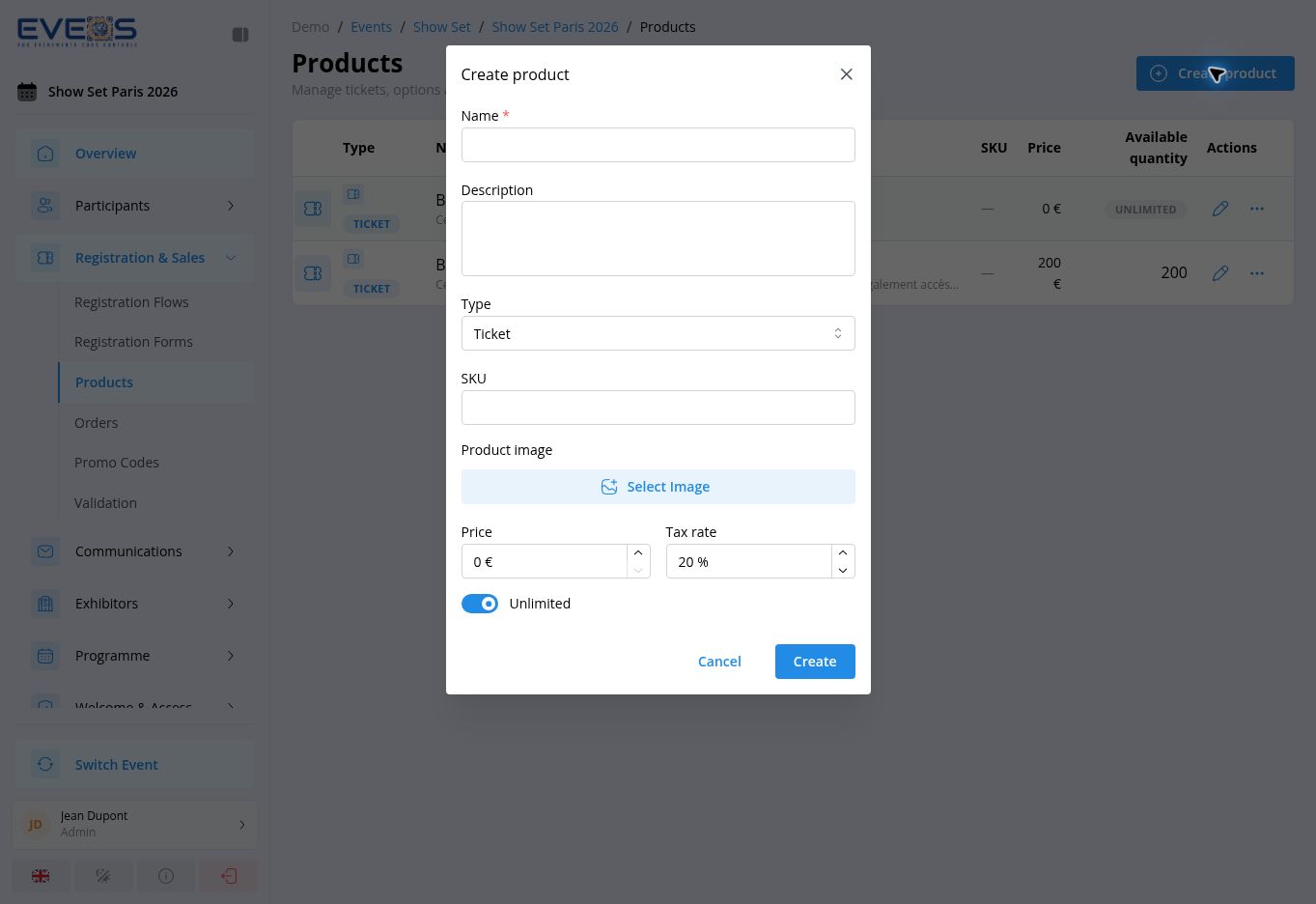
The product list shows the type, name, SKU, price, and available quantity (or the “Unlimited” badge). Each row offers “Edit”, “Duplicate”, and “Delete”.
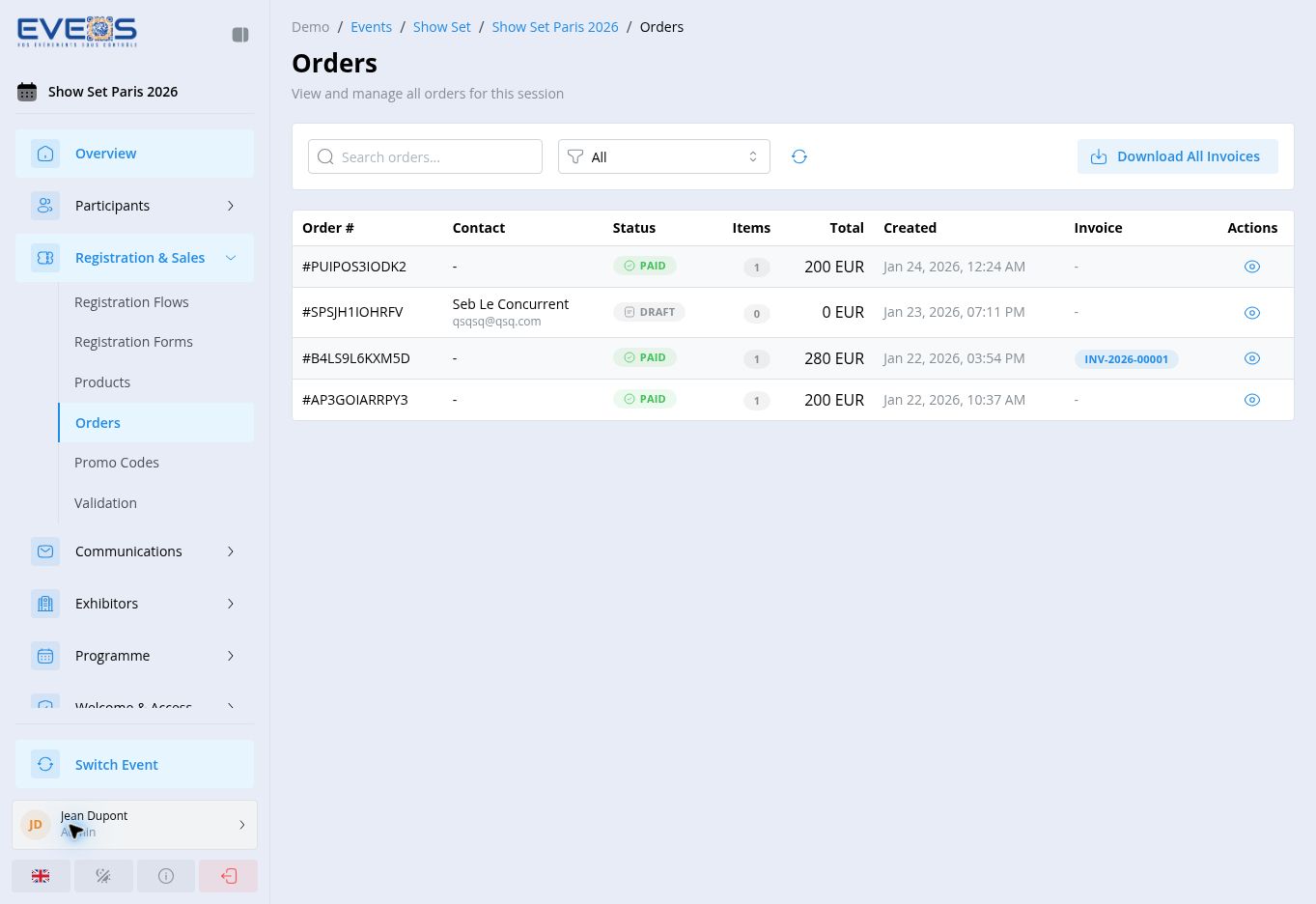
“Orders” displays the order number, contact, status, item count, total, creation date, and invoice.
The possible statuses are “Draft”, “Pending”, “Paid”, “Cancelled”, “Refunded”, and “Partially Refunded”.
Use “Search orders…” and “Filter by status” to reduce the list. “Download All Invoices” gathers the available invoices.
Order details
Section titled “Order details”Open an order to review the billing details, the item lines (subtotal, discounts, taxes, fees, total), the applied promo codes, the linked participants (with a link to their record), and the payment information (provider, method, transaction).
Depending on the status, the detail page lets you generate, download, or regenerate the invoice, download the credit note after a refund, refund a paid order, cancel a draft or pending order, and edit the billing information.